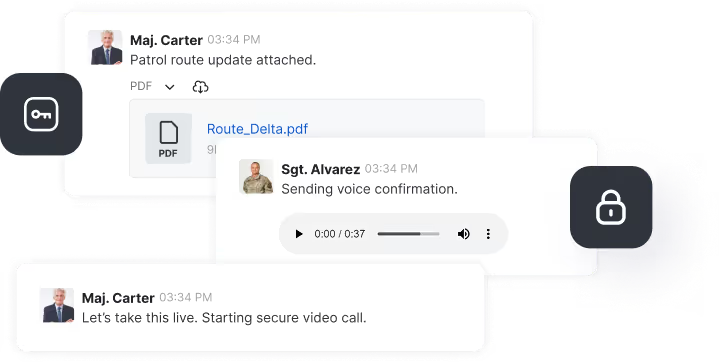
Coalition operations depend on XMPP. NATO's Federated Mission Networking (FMN) builds on it, it is a standing requirement in coalition RFPs, and it has carried mission communications for more than 20 years. With release 8.7, Rocket.Chat federates with XMPP, so organisations can coordinate with every partner on the mission network from a single sovereign platform. This release is the first step in a larger build: native XMPP federation, engineered into the platform rather than bolted on.
One platform for daily operations and XMPP coalition reach
Defence organisations did not choose XMPP by accident. It is self-hosted, air-gappable, open, and auditable, and it is light enough to hold up on constrained tactical networks. Those qualities are why it has stayed in service for two decades. The protocol is mature and trusted.
At the same time, what teams need from daily collaboration keeps growing. Modern collaboration means searchable history, structured channels and threads, file sharing, voice and video, and governance that satisfies accreditation. And it is usually the client software sitting on top of XMPP, not the protocol itself, that has aged.
So our goal is to bring that modern collaboration and XMPP partner connectivity together on one platform, working in both directions. You can reach coalition partners without leaving your platform. A Rocket.Chat deployment gains direct XMPP reach, so coordinating with a partner force on XMPP happens in the same governed workspace as everything else. You can also modernise without breaking partner connectivity. Organisations running long-standing XMPP infrastructure can adopt Rocket.Chat for day-to-day operations and keep every existing XMPP connection intact.
How it works, and where it goes next
Much of the XMPP connectivity available today relies on third-party bridges that relay messages through a bot in the middle. Because every message passes through that bot, you cannot reliably address individual users across the bridge, and audit trails cannot show who actually sent what. For an accredited environment, that is a meaningful limitation, and it shaped how we approached the problem.
Rocket.Chat's home server speaks Matrix natively. 8.7 adds a bridging system that translates between XMPP and that Matrix-native federation, so an XMPP room shows up in Rocket.Chat as a federated channel. Users join it and exchange messages with participants across federated XMPP servers, whether those participants are on a Rocket.Chat server or on any XMPP client. This is distributed communication, not a shared channel: each organisation keeps its own server, its own identity, and its own policies, and messages are attributed to the person who sent them rather than a relay bot.
In this first version, that covers public XMPP rooms and plain text messaging inside a governed Rocket.Chat workspace. It is a deliberate starting point.
We built the bridging system as a foundation, not a one-off connector. It lives in our federation architecture behind a persistent API layer, and individual bridges plug into it as external, decoupled services. That framework is in place today. Specific bridges run on top of it, each on its own release cycle, which keeps the core platform clean and opens the same path to other protocols over time.
The next of those bridges is our own native XMPP bridge. It will deepen the experience with presence, read receipts, and avatar handling, and add the XMPP extensions defence deployments require, all inside that same governed, auditable framework. The direction is steady: full XMPP interoperability, delivered natively, with per-user identity intact, inside a sovereign platform you control.
Available now in the Defense plan
XMPP interoperability ships with Rocket.Chat 8.7 and is available only in the Defense plan. If XMPP interoperability is a requirement in your programme, talk to our team to see it in action. Existing customers can reach out to their CSM.
Also in 8.7: Intelligent Search, right in the search bar you already use
Finding the right message usually means remembering the exact words someone used. Intelligent Search removes that guesswork. It is an Enterprise plans add-on that finds messages and documents by meaning, not just keywords, and in 8.7 it works straight from the global search bar.
Here is what that looks like. Search for "drone incursion report" and it surfaces the message logged as "UAV sighting, grid reference attached," even though none of the words match. In an operation, the information you need rarely uses the words you searched for. When a decision waits on finding one message fast, during an active incident, a formal audit, or an after-action review, that difference shapes the outcome.
New in 8.7, Intelligent Search can do more than list the matching messages. When your workspace holds messages on a topic, it gathers the relevant ones into a short, plain-language summary. Ask "how was the network intrusion contained?" and it pulls those messages together and summarises what they say, with every point numbered and linked back to the exact message it came from. The ranked sources sit right below, each with a relevance score. The summary is built only from existing messages in your workspace, so it does not invent answers, and you can open any source to check it.
Two things make this safe for sensitive environments. The summary only draws on rooms the user is already cleared to access, so search respects the same permissions as everything else. And it is generated on a model endpoint you configure, which can be self-hosted inside your own environment rather than calling an outside AI service, so operational data stays under your control.
This replaces the earlier version, where intelligent search ran as a separate flow inside an app.
This first phase ships as a feature preview, so we can gather real feedback early. Teams that want ranked results without the generated summary can turn it off, and anyone who prefers standard keyword search can disable Intelligent Search in their user preferences. It becomes active once the add-on is provisioned, the feature is enabled, and the feature preview setting is switched on. Phase 2 will refine the interface to fully match the rest of the platform.
Bug fixes
This release includes fixes to improve overall stability, performance, and user experience. For the full list, see the official release notes.
How to update your workspace to the latest Rocket.Chat version?
SaaS workspaces
The release happens automatically on our cloud, so no further action is required. Rollout may take a few weeks. Contact support if you need to update your version sooner.
Self-managed workspaces
Depending on your installation mode, you may need to update manually. See the documentation for instructions.
Frequently asked questions about <anything>


- Digital sovereignty
- Federation capabilities
- Scalable and white-labeled

- Highly scalable and secure
- Full patient conversation history
- HIPAA-ready

for mission-critical operations
- On-premise and air-gapped ready
- Full control over sensitive data
- Secure cross-agency collaboration
%201.svg)
- Open source code
- Highly secure and scalable
- Unmatched flexibility

- End-to-end encryption
- Cloud or on-prem deployment
- Supports compliance with HIPAA, GDPR, FINRA, and more

- Supports compliance with HIPAA, GDPR, FINRA, and more
- Highly secure and flexible
- On-prem or cloud deployment